-1.png)
Everything about your subscription is in Billing. Only the team owner manages payment; members see the message "Billing managed by the owner".
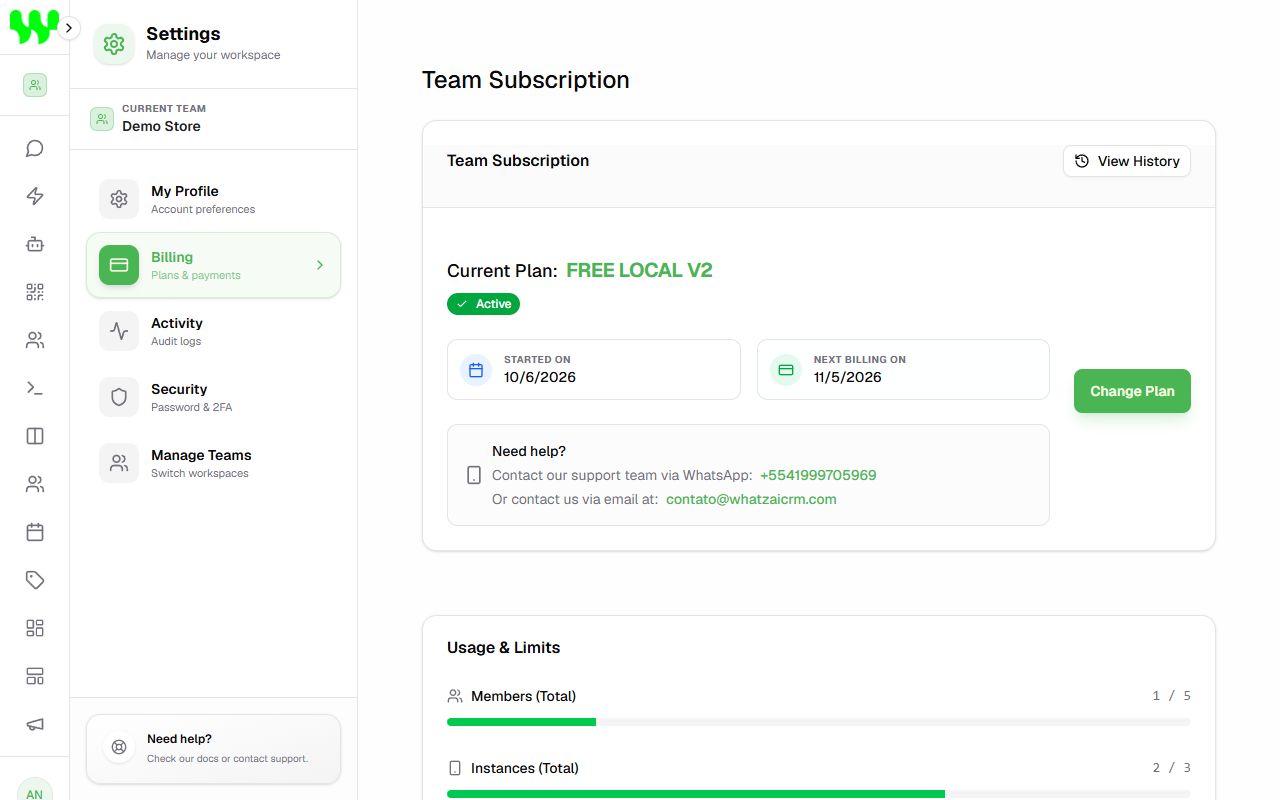
Team subscription
- Current Plan and its status: Active, Trial Active (with the trial end date), Canceled or Payment Required.
- Started on and Next billing on.
- Change Plan / Upgrade Plan: opens the plans page to switch plans.
- View History: list of invoices, with amount, status and Download PDF.
- Need help?: support contacts by WhatsApp and email.
Usage and limits
Bars show how much of your plan you have already used:
| Limit | What counts |
|---|---|
| Members | People in your teams. |
| Instances | Connected WhatsApp numbers. |
| Contacts | Contacts saved in the CRM. |
| AI Credits | Balance in dollars for AI answers using the system key. Renews every billing cycle. |
Limits are shared across all teams you own. When you reach a limit, the system warns you and asks you to upgrade to create more items.
Free trial
If you don't have a plan yet, you can request a trial at Request trial (or through the Request Free Trial button that appears when you try to use a feature). In many cases the trial is approved automatically and you are taken straight into the system.
Change plans
- Click Change Plan (or open Plans).
- Choose the period (monthly, quarterly, yearly) and the plan.
- Complete the payment on Stripe's secure page.
When switching to a smaller plan, some features may be limited immediately.
Cancel
Click Cancel Subscription and confirm. You keep access to the features until the end of the period already paid; after that, the team moves to the free plan.
If a payment fails
- Grace period: a yellow bar appears ("Payment issue"). You have a short time to fix it, without losing anything.
- Restricted account: if not fixed, a red bar appears ("Pending Payment") and features such as AI, automations, new connections and campaigns are blocked. Your chats and data are not deleted.
To fix it, click Renew Subscription or Pay / Renew and update your payment method. Access returns as soon as the payment is confirmed.
I am a member, not the owner
If you see "The team subscription has expired", talk to the team owner — only they can renew.