-1.png)
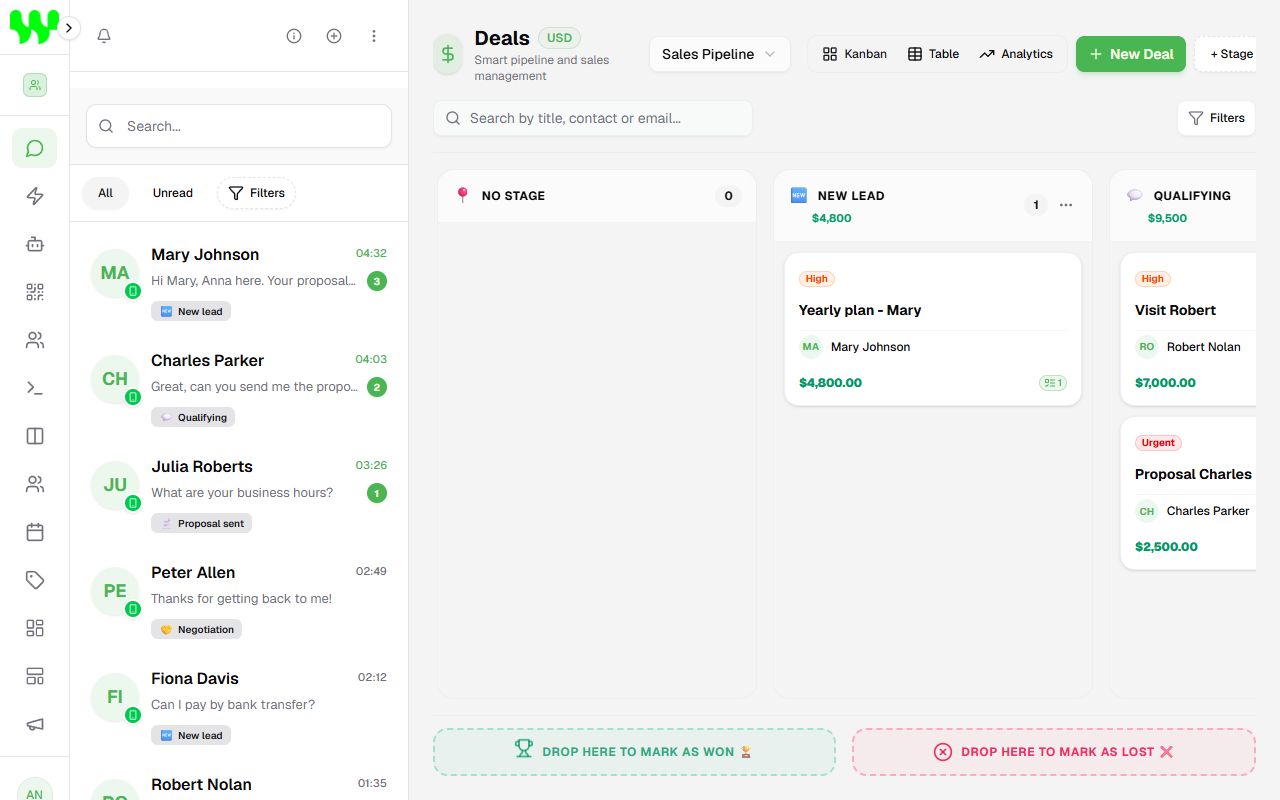
WhatzAI CRM is a platform that turns your WhatsApp into a sales and customer service hub. Instead of each salesperson answering customers on their own phone, every conversation arrives in one place, is organized in a sales pipeline and can be answered by people, by bots (automations) or by an Artificial Intelligence that chats like a real agent.
What you can do
- Serve every customer from a single screen, with several team members using the same WhatsApp number at the same time.
- Reply in seconds, 24 hours a day, with an AI Agent that answers questions, qualifies the customer and even books appointments.
- Build service bots without coding, by dragging blocks in a visual builder (e.g. a menu "1 - Sales, 2 - Support").
- Organize your sales in a pipeline (Kanban), knowing exactly which stage each customer is in.
- Keep each customer's history (CRM): details, tags, deals, tasks and notes.
- Send bulk messages (campaigns) using the Official WhatsApp API.
- Track results on a dashboard with revenue, conversion, response time and team performance.
How the pieces fit together
Think of the system as a store:
| Piece | What it is for | Where |
|---|---|---|
| Team (workspace) | Your "company" inside the system. Everything (chats, contacts, bots) belongs to a team. | Manage Teams |
| Instance (connection) | A WhatsApp number connected to the system. Without it, no message arrives. | Instances |
| Chats | The inbox with all customer messages. | Chats |
| Contacts (CRM) | Each customer's record, with details and history. | Contacts |
| Pipeline (funnel) | The board with the stages of a sale or a support ticket. | Pipelines |
| AI Agent | The "virtual assistant" that answers on its own using Artificial Intelligence. | AI Agent |
| Automation (flow) | A fixed script of questions and answers that you build. | Automation |
Who answers the customer?
When a customer sends a message, the system decides who answers in this order:
- Automation: if there is an active automation, linked to that number, whose trigger matches the message, it answers.
- AI Agent: if no automation answered and an AI Agent is enabled, the AI answers.
- Team member: you can reply at any time from the chats screen. You can also pause the AI in a specific chat with one click.
Tip
The system waits a few seconds before replying, to group messages the customer sends in pieces (e.g. "hi", "how are you?", "I want a quote") and answer everything at once, just like a person would.
Where to start
If this is your first time, follow this order:
- Create your account and your team
- Get to know the screen
- Connect your WhatsApp
- Create your first AI Agent
That's it: from then on your customers start being served automatically.