-1.png)
On the Official WhatsApp API (WABA), Meta only lets a business start a conversation — or talk to a customer again after 24 hours without a reply from them — using an approved message template. In Templates you create, track and sync these templates.
Official API only
Templates are not needed on QR code (WhatsApp Web) connections. If you don't have a WABA instance yet, the page shows No WABA Instance Connected. See Connect your WhatsApp.
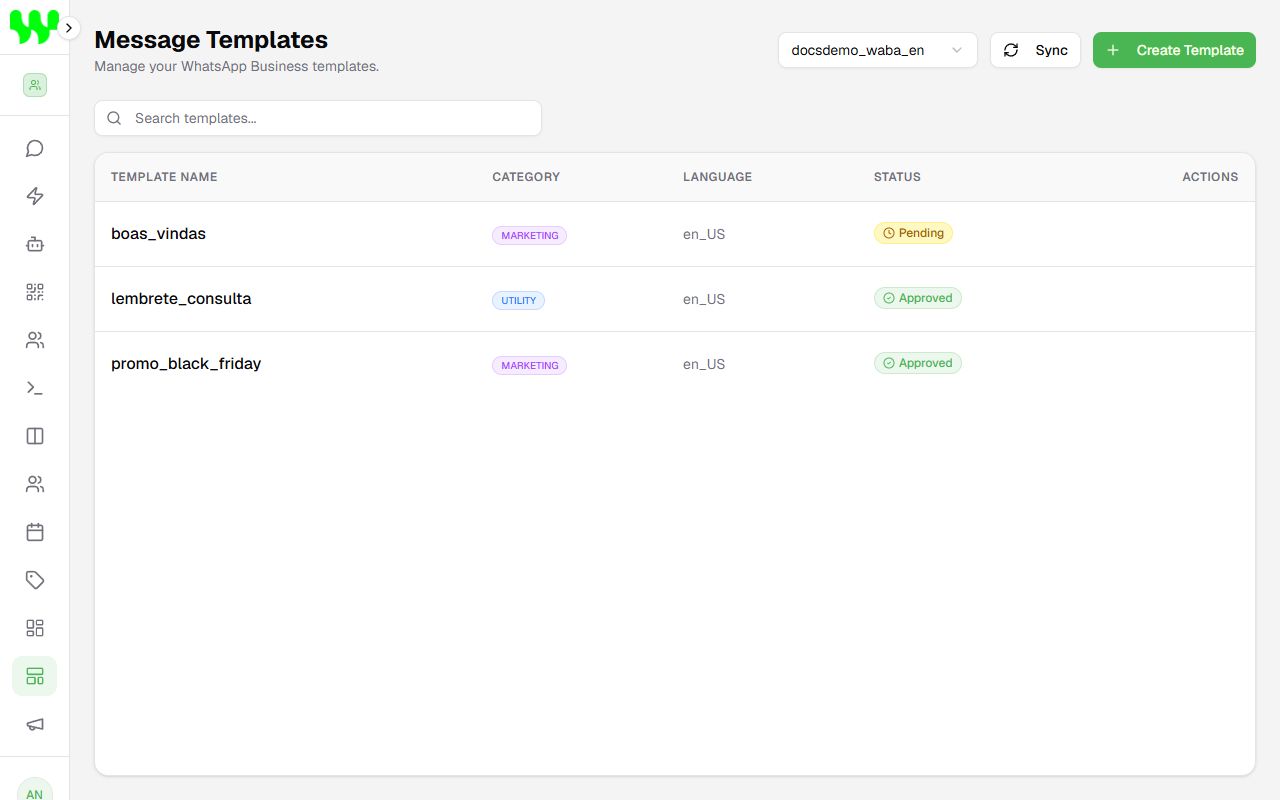
Template statuses
| Status | Meaning |
|---|---|
| Pending | Sent to Meta and awaiting review (from minutes to a few hours). |
| Approved | Ready to use in chats and campaigns. |
| Rejected | Meta refused it. Adjust the text and submit a new template. |
Click Sync to fetch templates created at Meta and update their statuses.
Create a template
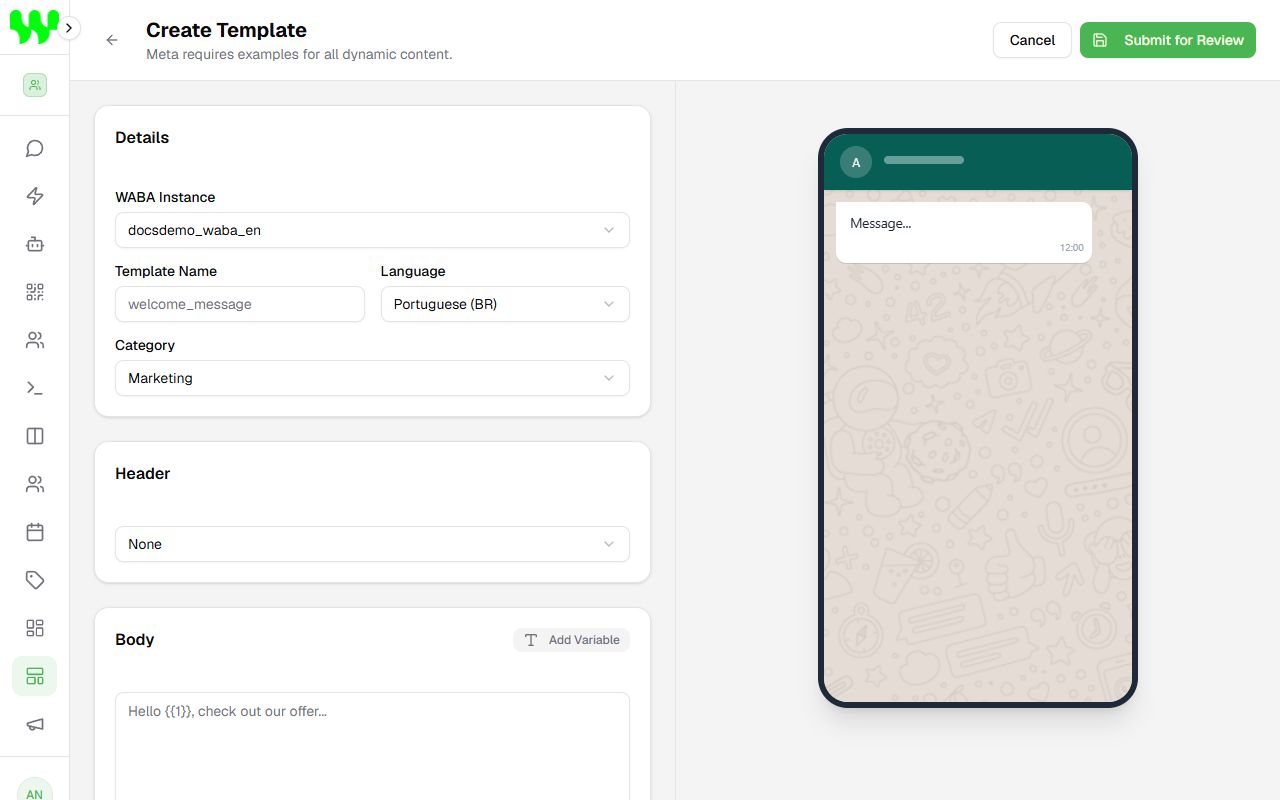
- Click Create Template.
- In Details:
- WABA Instance: the number that will use the template.
- Template Name: lowercase letters, numbers and underscores only (e.g.
appointment_reminder). - Language: Portuguese (BR), English (US) or Spanish.
- Category: Marketing (promotions, news), Utility (confirmations, reminders, invoices) or Authentication (verification codes).
- Header (optional): None, Text, Image, Video or Document.
- Body: the main text. Click Add Variable to insert fields that change on each send, such as
{{1}}(customer name) and{{2}}(date). - Variable Examples (Required): Meta requires an example for each variable (e.g.
{{1}}= "John"). - Footer (optional) and Buttons (optional): Quick Reply, URL or Phone.
- Check the phone preview on the right and click Submit for Review.
Tips to get approved
Write clearly, without all caps, exaggerated promises or requests for sensitive data. Always give realistic examples for variables. Reminder and confirmation messages are usually approved as Utility.
Header with image, video or document
For media headers, Meta requires an example file identifier (media handle) at creation time. If you don't have that identifier, create the template directly in Meta's WhatsApp Manager and then click Sync.